Microsoft To Do Suite overview
Microsoft To Do is a task management application built on the Exchange Online task store, which is what distinguishes it from standalone competitors: tasks flagged in Outlook email, assigned in Microsoft Planner or created in Microsoft Teams surface in the same list, so a person has one view of what they owe rather than four.
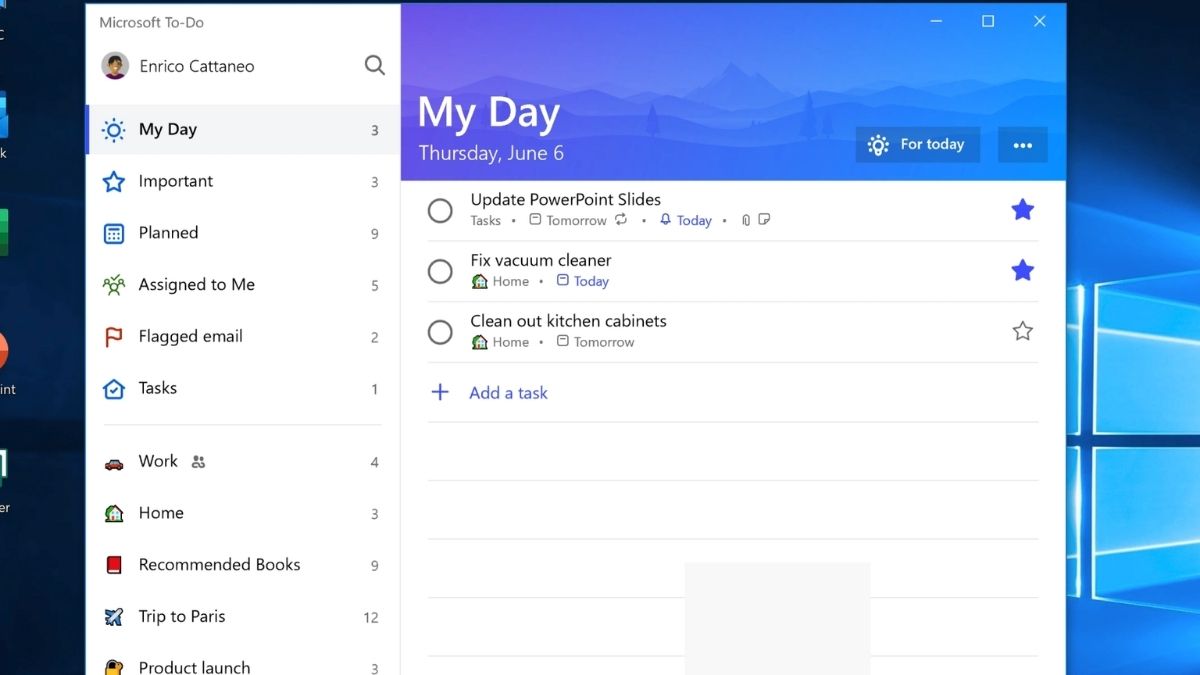
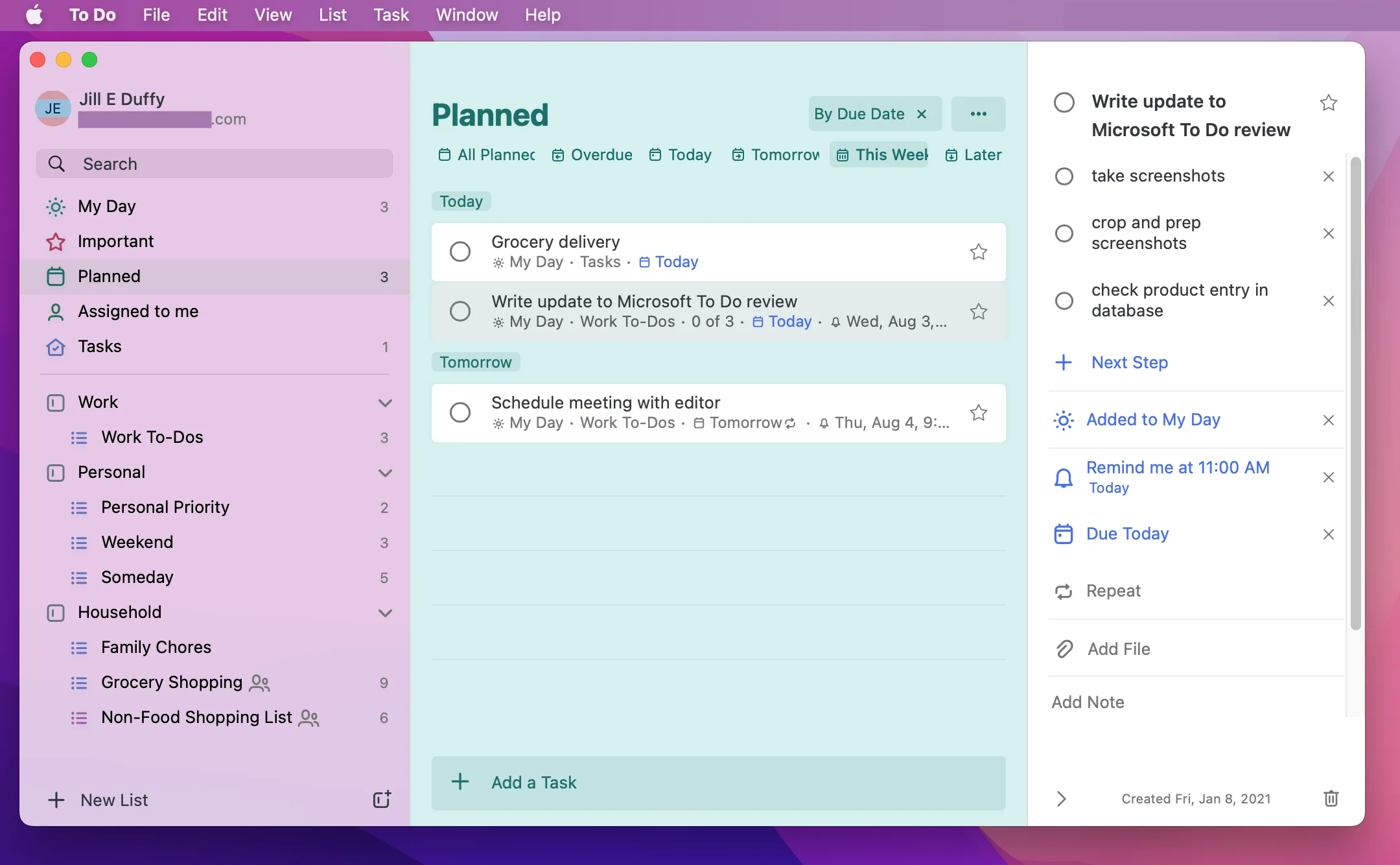
My Day is the organising idea — a daily list rebuilt each morning, with intelligent suggestions drawn from due dates, flagged mail and yesterday's unfinished items, keeping the daily plan separate from the full backlog. Lists support steps, notes, file attachments, due dates, reminders, recurrence and sharing with other people, with list groups for organisation. It runs on web, Windows, macOS, iOS and Android with offline support and full synchronisation.
The application is free with any Microsoft account and requires no subscription, though its value increases considerably inside a Microsoft 365 tenant where Outlook, Planner and Teams integration comes into play. Microsoft To Do replaced Wunderlist, which Microsoft acquired in 2015 and retired in 2020.
Media
Screenshots and product photos shared by Microsoft.
Company Information
 Redmond, WA
VisionOne place to see everything a person owes, wherever the request came from.

MissionTo empower every person and every organisation on the planet to achieve more.
Leadership team
Meet the leaders shaping our vision, product, and growth.
No leadership team has been added for this product yet.
Pricing
All plans include core features. Per month, billed annually.
Features
All capabilities grouped by category.
- Daily list rebuilt each morning
- Intelligent suggestions
- Due-date surfacing
- Flagged email suggestions
- Yesterday's unfinished items
- Separate from backlog
- Unlimited lists
- Steps and sub-tasks
- Notes and attachments
- Due dates and reminders
- Recurrence
- List groups
- Shared lists
- Task assignment
- Collaborator comments
- Invite by link
- Shared list permissions
- Family and team use
Microsoft 365 integration
- Outlook flagged email sync
- Microsoft Planner assignments
- Microsoft Teams tasks
- Exchange Online task store
- Unified Tasks app in Teams
- Cross-app due dates
- Web
- Windows
- macOS
- iOS
- Android
- Offline support with sync








 Unlimited lists and tasks